







For resellers
Product after product. No detours.
Open a page, the code is there, next. As a side panel, BANGER.deals stays open – and with analysis set to “automatic” it searches on every product page by itself. You just click through your list.
Demo · prices are examples
Sourcing & online arbitrage · free UPC finder
The code of your variant, right on any product page. Copy it, see the eBay price, keep searching on Amazon. No account, no trial.
BANGER.deals is an extension for Chrome on your computer. Send yourself the link – by message, mail or note – and set it up there in a minute.
On the right runs the extension, just as you install it. Click around.
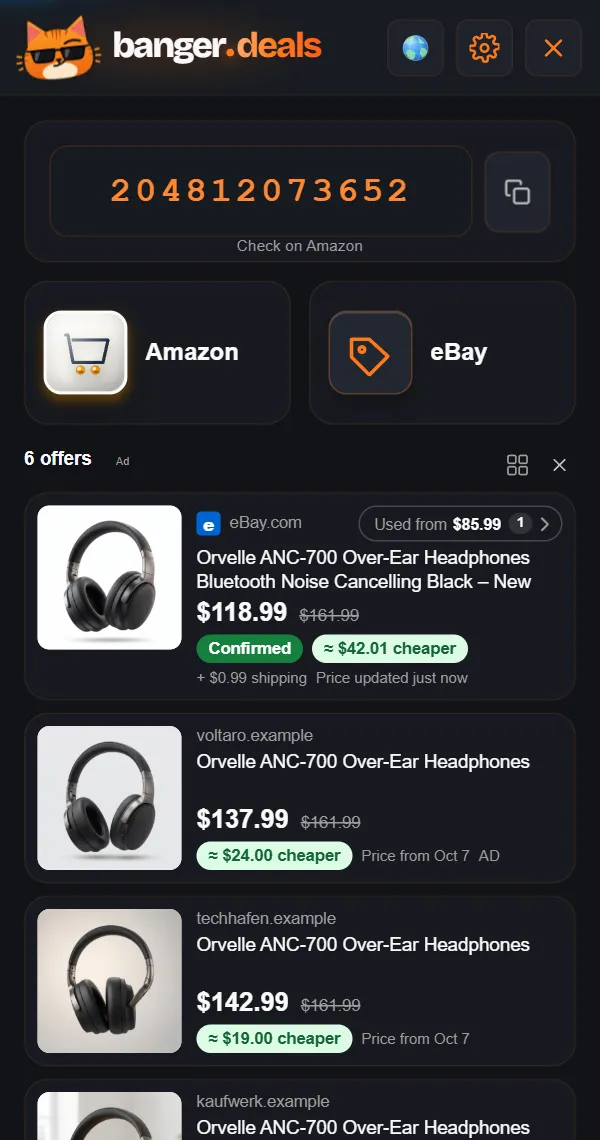
The real panel with example products: pick a product, the panel compares.
For resellers
Open a page, the code is there, next. As a side panel, BANGER.deals stays open – and with analysis set to “automatic” it searches on every product page by itself. You just click through your list.
The code for your variant
Many pages carry several codes. You get the one the shop lists for the size or color you picked – not the one next to it.
Where others come up empty
If the shop lists none, we show you a “Likely EAN” where we can – clearly marked as such. What you do with it is up to you.
No mismatch guessing
Confirmed, Very likely, Likely or Different model – savings only for the first two. Bundles, multipacks and spare parts aren’t treated as the same product.
* “Confirmed” is our assessment: the same product in the same version. Prices and stock change all the time – what counts is the price at the seller’s checkout.
eBay price check
The same item new on eBay in your country – 14 eBay countries to pick, the cheapest matching offer first, shipping included where eBay states it. Used from …? One click.
Amazon
Click the code: Amazon searches for exactly that UPC. Amazon button: the matching item, or the search that hits – even without a code.
A research case
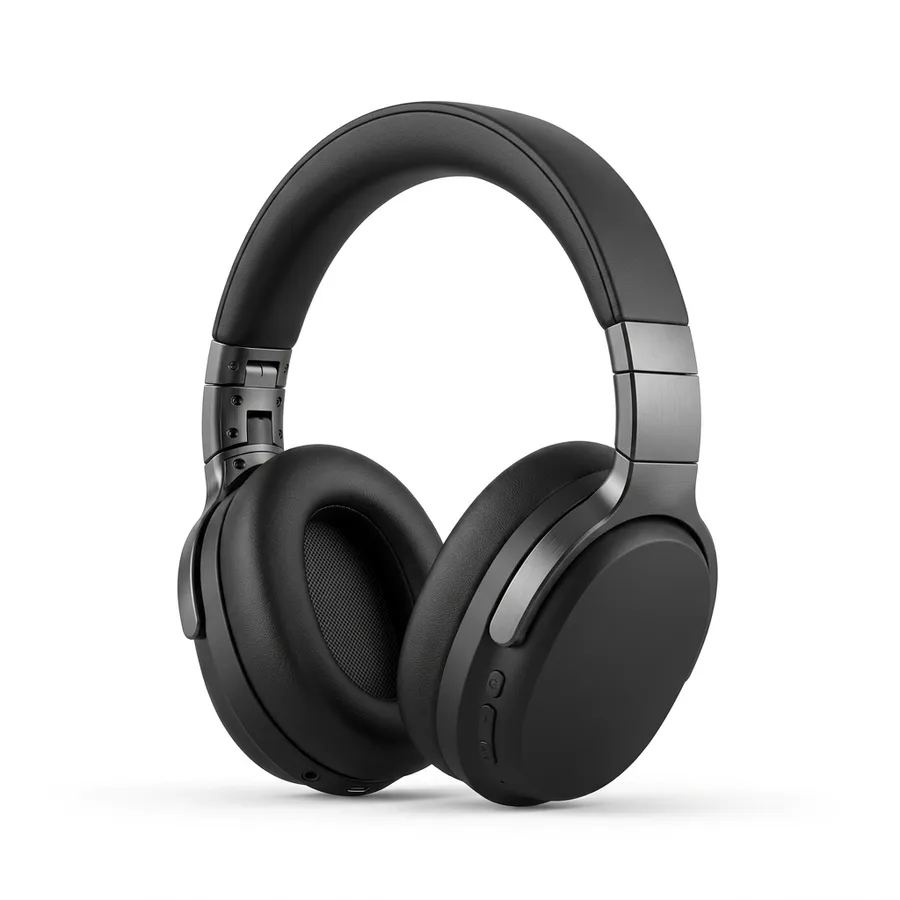
Here is a short case with the headphones from the demo. The panel delivers the buying side; the selling side is yours to check.
| Shop page | Orvelle ANC-700, black – €89.99 |
|---|---|
| Panel: number | The code the shop lists for this variant – copied in one click |
| Panel: eBay new | €74.90 including shipping, labelled “Confirmed” – €15.09 below the shop price |
| Panel: other shops | from €77.90 |
| Your possible buying price | €74.90 |
Only this calculation shows whether the buy pays off. BANGER.deals delivers the buying side – it does not calculate a profit.
A made-up example product, example prices as in the demo.
No. BANGER.deals is free and needs no account and no trial.
GTIN is the umbrella term. UPC (12 digits) is common in the US, EAN (13 digits) in Europe. BANGER.deals shows you the code of your variant and copies it in one click.
eBay in 14 countries: the US, Canada, the UK, Ireland, Australia, Germany, Austria, Switzerland, France, Italy, Spain, the Netherlands, Belgium and Poland. Pick any location – the panel uses the matching marketplace, and Amazon opens for your country.
Yes. Copy the UPC, EAN or GTIN in one click – the panel confirms it briefly.
Probably the same item, but less certain than “Very likely” – so we don’t show a saving. Worth a quick look before you buy.
Yes, in the gear menu – wherever eBay offers that distinction.
Buying goods cheaply in an online shop and reselling them for more on Amazon (for example via FBA) or eBay. The first step is always the same: find the exact product and check its price elsewhere – that is what BANGER.deals is for.
No. You get the number, the Amazon match and the eBay buying price. Fees, brand and category approvals and demand are yours to check for your resale.
Free. No account. Set up in a minute.
BANGER.deals is an extension for Chrome on your computer. Send yourself the link – by message, mail or note – and set it up there in a minute.